



Design attractive tickets
TicketCreator offers a wide rage of layout features to design and create attractive tickets, yet is easy to use.
Ticket format, text and images
- Create tickets of any size and format and print them on cardboard or ticket templates
- Use for the text lines different fonts, font sizes, colors, alignments, rotated text
- Use all Windows fonts (TrueType fonts). Many free fonts are available online (e.g. dafont.com, urbanfonts.com).
- Add pictures and logos to your ticket design
Seat numbers
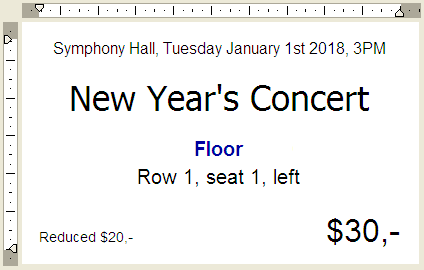
Create tickets with row and seat numbers, with serial numbers, or unnumbered tickets.
- Print section names in different colors to facilitate orientation
- Use letters, roman numerals, or numbers for the row numbers and define seat numbers in any order
- For sections with an aisle add a seat descriptions to the seat number (e.g. "left", "right") , which helps the visitor to find the seat
Prices
Each event can have up to 50 price categories, consisting of a regular price, a reduced price and up to 10 special prices. Tickets without a price or with a advance sale price are also possible.
You can of course use any currency symbol (€, $, £, etc.).
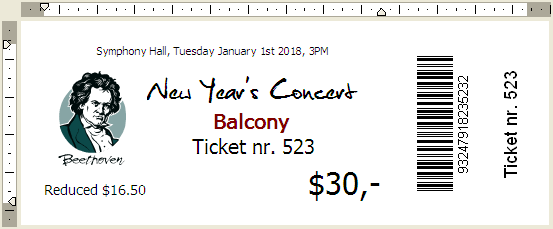
Ticket with image, different fonts, serial number, individual barcode, rotated text, and stub
Security
To prevent that your tickets are forged or copied you can print on each ticket an individual barcode, which is checked at the entrance with the included software BarcodeChecker and a simple barcode scanner, webcam or smartphone. More information...
Printing
Print your tickets on:
- Plain cardboard (optionally with cut marks)
- Blank perforated tickets or cards
- Customized ticket stocks from a printing company (recommended)
- Directly onto the brochure or invitation, or on labels